Connect Your cTrader Account
How to link your cTrader account to SessionLock and start enforcing your trading rules automatically.
Connecting your account gives SessionLock the ability to read your live account state and enforce your rules on every order before it reaches your broker.
Your credentials stay with cTrader
SessionLock never sees your username or password. cTrader handles the login and sends SessionLock a temporary access token only. You can revoke access at any time.
Part 1 — Sync your accounts
Open the Accounts tab
In the SessionLock sidebar, click Accounts — or go directly to /trader/accounts.
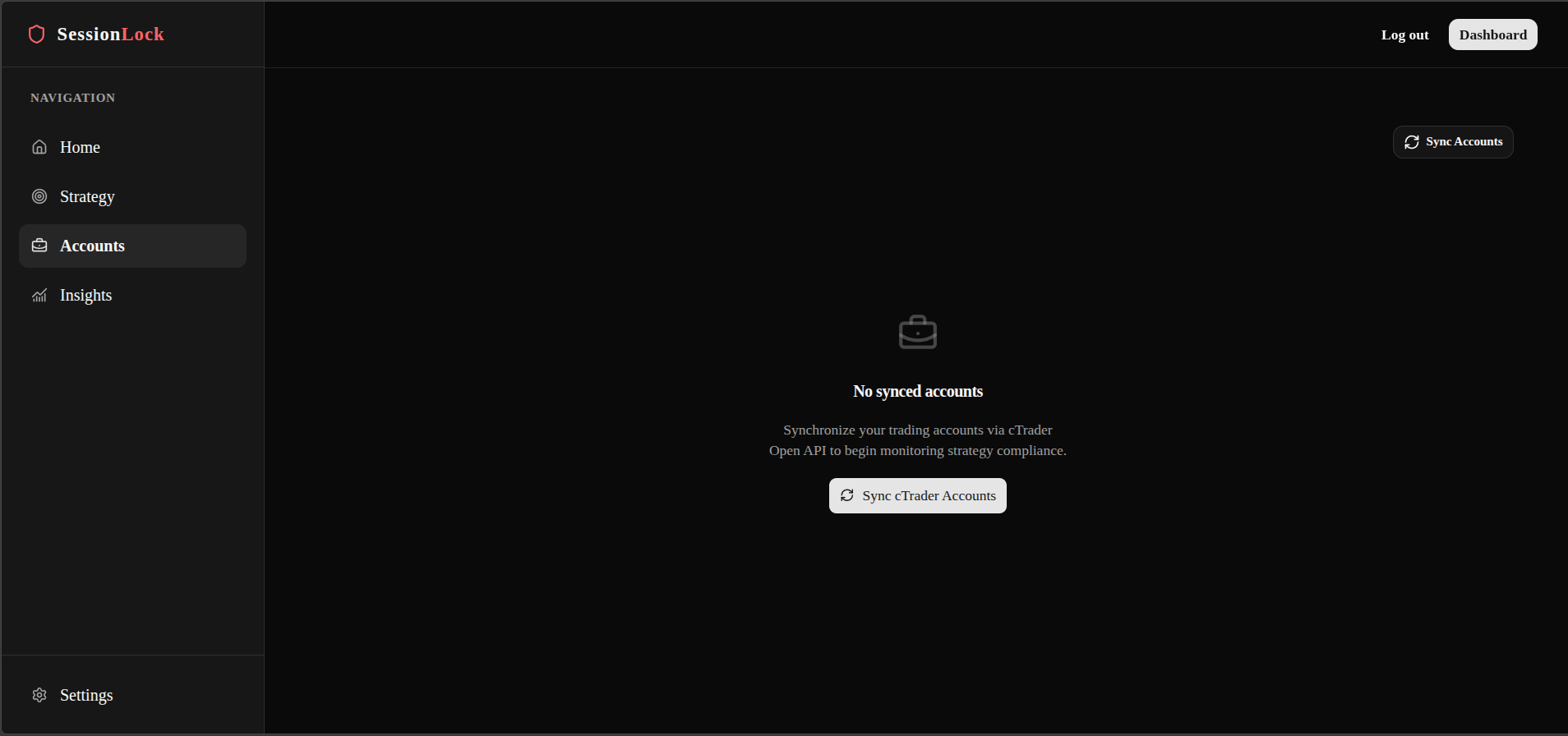
Sync your accounts
Click the Sync Accounts button. You will be redirected to cTrader to authorise SessionLock.
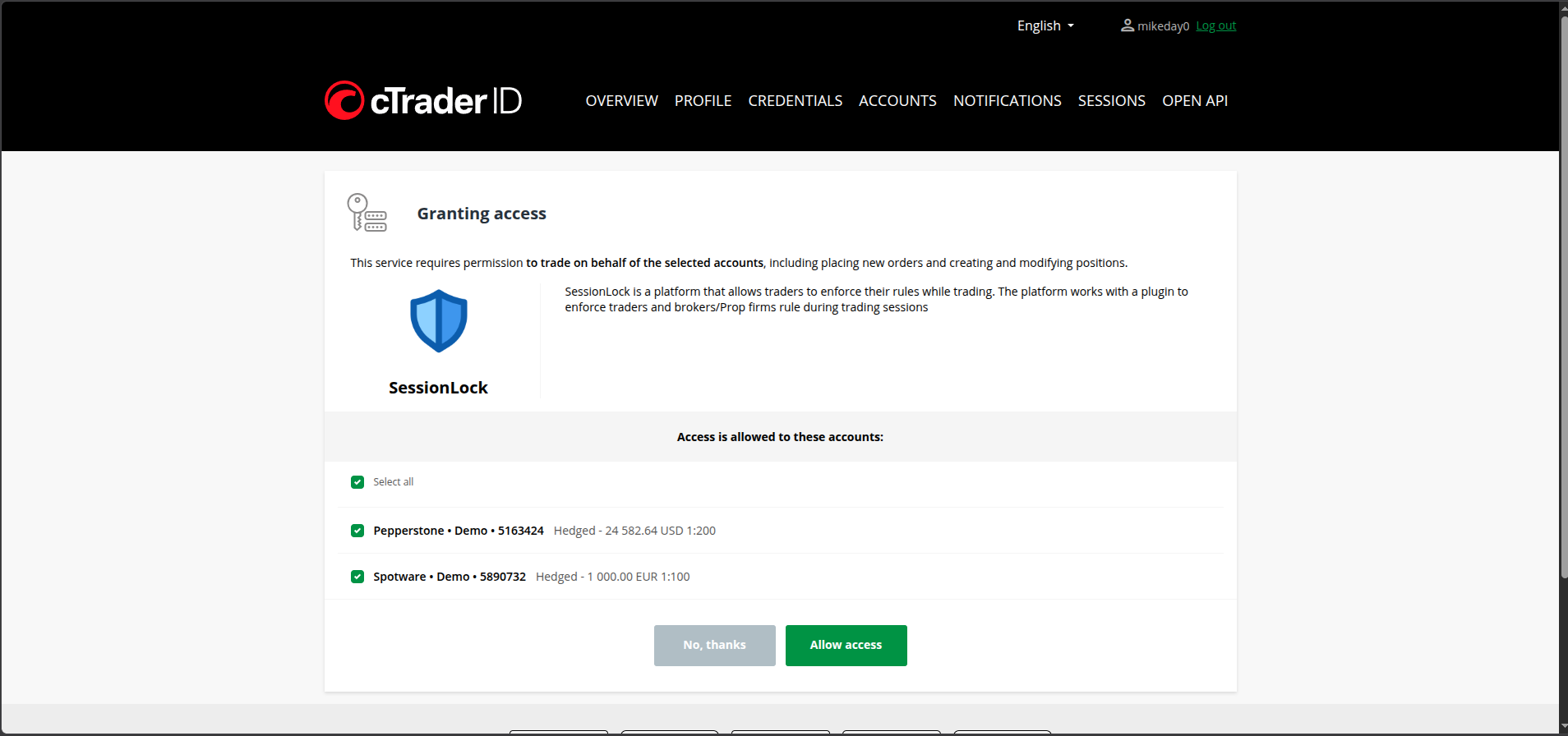
Authorise SessionLock
On the cTrader authorisation page, click Allow Access. Once confirmed, you are redirected back to SessionLock and all your cTrader accounts are loaded.
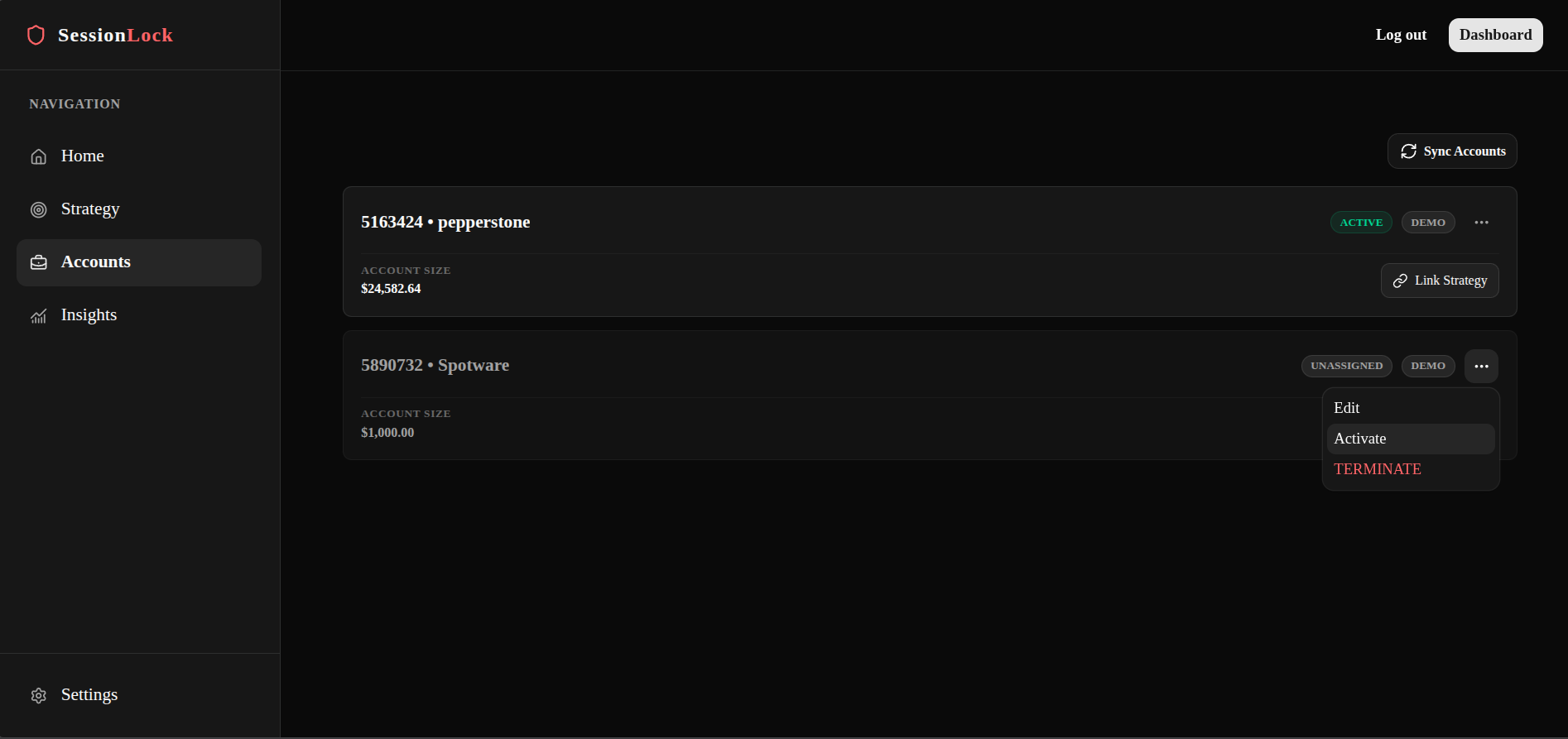
Part 2 — Activate an account
All loaded accounts are inactive by default. The number of accounts you can activate depends on your subscription plan.
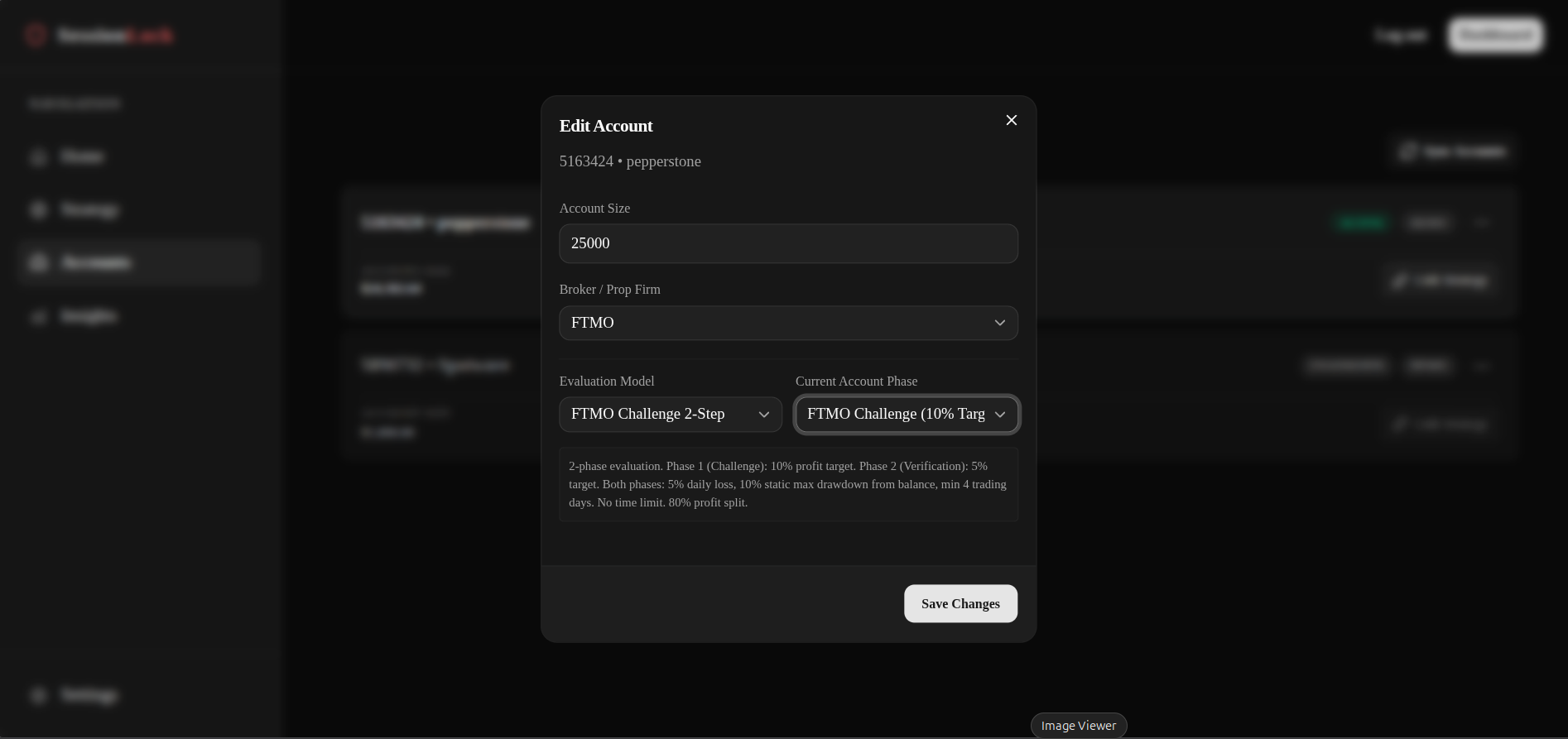
Link to your broker or prop firm
Click the ⋯ menu again and select Edit. A popup appears — fill in the following fields:
- Account size — your funded account balance
- Broker / Prop firm — select your firm from the list
- Evaluation model — if it is a prop firm, select the challenge model (e.g. 1-step, 2-step)
- Account phase — select your current phase (e.g. Challenge, Verification, Funded)
Click Save Changes. SessionLock will now automatically enforce your prop firm's rules on this account.
Why link a broker?
Linking your broker lets SessionLock automatically apply that firm's drawdown limits, news rules, and restricted instruments on top of your personal strategy rules — without you having to configure them manually.
Part 3 — Link a strategy
Open the strategy selector
On the account card, click the Link Strategy button on the bottom right.
Select your strategy
A popup appears listing all the strategies you have created. Select the one you want to apply to this account — only one strategy can be linked per account.
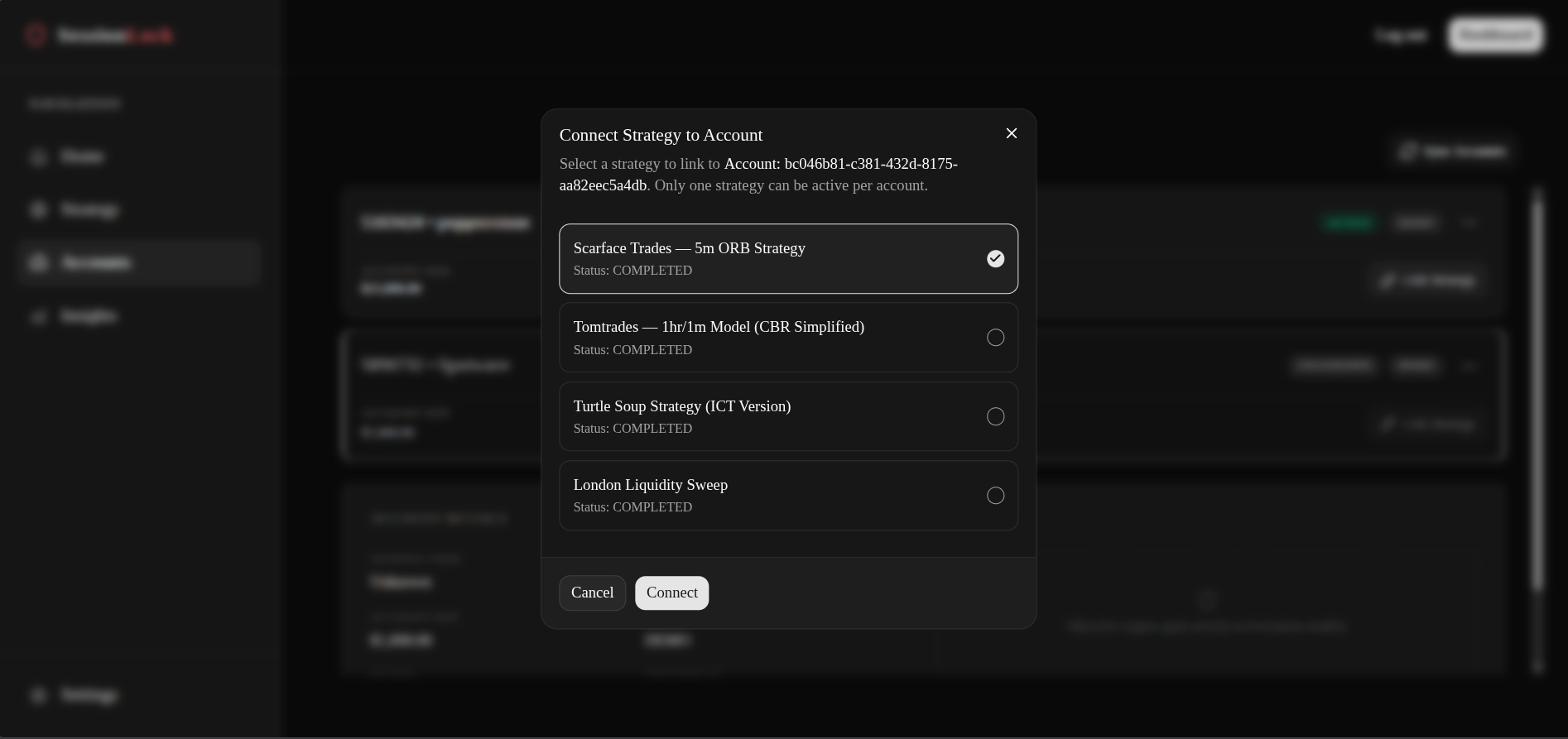
Connect the strategy
Click Connect Strategy. The account card updates to show the linked strategy name.
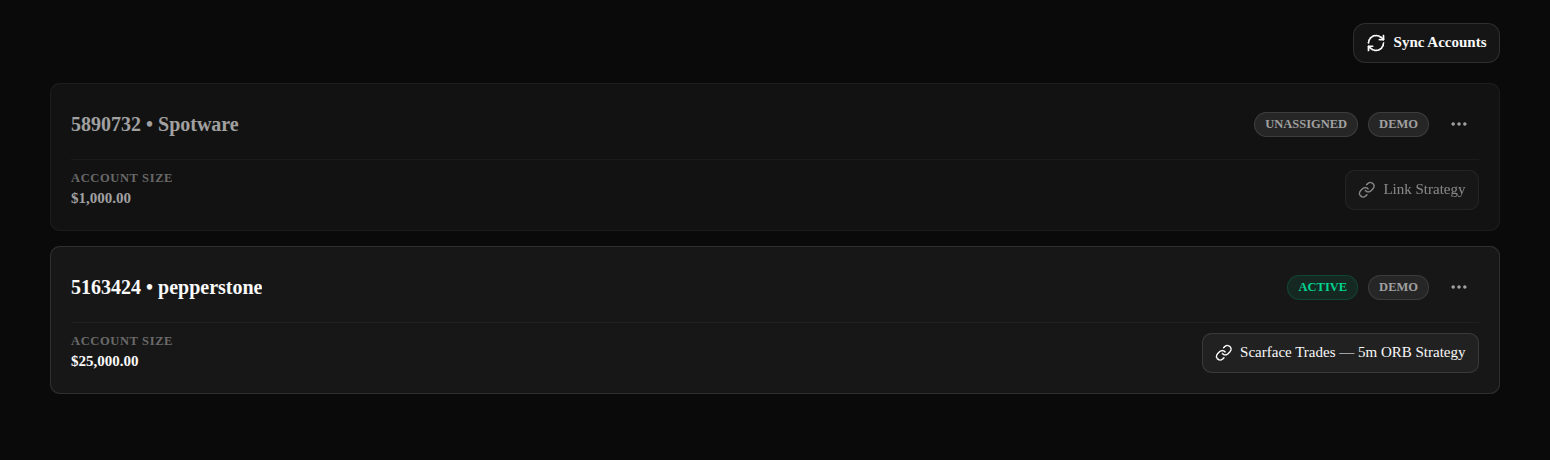
You are set up
Every trade you place through the SessionLock plugin on this account is now protected by both your prop firm's rules and your personal strategy rules.
One strategy per account
Only one strategy can be linked to an account at a time. To switch strategies, click ⋯ → Edit on the account card and select a different one.